
Experiment 3: Pet Vote App 🗳️
Download the Code
Want to follow along on your own machine? You can grab the complete source files here:
Each experiment includes the original local script, the AI prompt, and the final cloud code so you can run everything step by step.
What You Will Learn
This experiment teaches you how to migrate a complete full-stack application from your laptop to AWS. You start with a local Flask app (HTML frontend + Python backend + JSON "database") and end with a globally accessible serverless application.
By the end, you will understand how four AWS services work together like pieces of a puzzle:
- S3 hosts the static website (your HTML page)
- API Gateway routes HTTP requests (the traffic cop)
- Lambda runs the backend logic (your Python code)
- DynamoDB stores the votes permanently (the database)
The Local Version
You have two files on your laptop. Together, they make a cute voting app where people can vote for Cats or Dogs.
local_app.py — The Backend
A Flask server that reads and writes votes to a local JSON file:
💻 Click to expand: local_app.py
import json
import os
from flask import Flask, request, jsonify
from flask_cors import CORS

app = Flask(__name__)
CORS(app)

DATA_FILE = "votes.json"

def init_db():
    if not os.path.exists(DATA_FILE):
        with open(DATA_FILE, "w") as f:
            json.dump({"Cats": 0, "Dogs": 0}, f)

@app.route("/votes", methods=["GET"])
def get_votes():
    init_db()
    with open(DATA_FILE, "r") as f:
        data = json.load(f)
    return jsonify(data)

@app.route("/vote", methods=["POST"])
def cast_vote():
    init_db()
    req_data = request.get_json()
    pet = req_data.get("pet")

    if pet not in ["Cats", "Dogs"]:
        return jsonify({"error": "Invalid choice!"}), 400

    with open(DATA_FILE, "r") as f:
        data = json.load(f)

    data[pet] += 1

    with open(DATA_FILE, "w") as f:
        json.dump(data, f)

    return jsonify({"message": f"Successfully voted for {pet}!", "current_votes": data})

if __name__ == "__main__":
    init_db()
    print("🚀 Starting local Pet Voting server on http://127.0.0.1:5000")
    app.run(port=5000, debug=True)
index.html — The Frontend
A simple webpage with two buttons:
🌐 Click to expand: index.html
<!DOCTYPE html>
<html lang="en">
<head>
    <meta charset="UTF-8">
    <title>Cloud Pet Voting</title>
    <style>
        body { font-family: Arial, sans-serif; text-align: center; margin-top: 50px; background-color: #f4f7f6; }
        .container { background-color: white; padding: 40px; border-radius: 10px; box-shadow: 0px 4px 10px rgba(0,0,0,0.1); display: inline-block; }
        .btn { padding: 15px 30px; margin: 10px; font-size: 18px; cursor: pointer; border: none; border-radius: 5px; color: white; }
        .btn-cats { background-color: #ff9800; }
        .btn-dogs { background-color: #2196f3; }
    </style>
</head>
<body>
    <div class="container">
        <h1>🐾 Vote for your favorite! 🐾</h1>
        <button class="btn btn-cats" onclick="vote('Cats')">Vote for Cats 🐱</button>
        <button class="btn btn-dogs" onclick="vote('Dogs')">Vote for Dogs 🐶</button>
        <div class="results">
            <p>Cats: <span id="cats-count">0</span></p>
            <p>Dogs: <span id="dogs-count">0</span></p>
        </div>
    </div>
    <script>
        const apiUrl = "http://127.0.0.1:5000"; // LOCAL ONLY

        async function fetchVotes() {
            const response = await fetch(`${apiUrl}/votes`);
            const data = await response.json();
            document.getElementById("cats-count").innerText = data.Cats || 0;
            document.getElementById("dogs-count").innerText = data.Dogs || 0;
        }

        async function vote(pet) {
            await fetch(`${apiUrl}/vote`, {
                method: "POST",
                headers: { "Content-Type": "application/json" },
                body: JSON.stringify({ pet: pet })
            });
            fetchVotes();
        }
        fetchVotes();
    </script>
</body>
</html>
The problem: Only you can use this. Your friends can't access localhost:5000 on your machine. And if you turn off your laptop, the server dies. The votes are trapped on your computer.
The Prompt We Sent to the AI
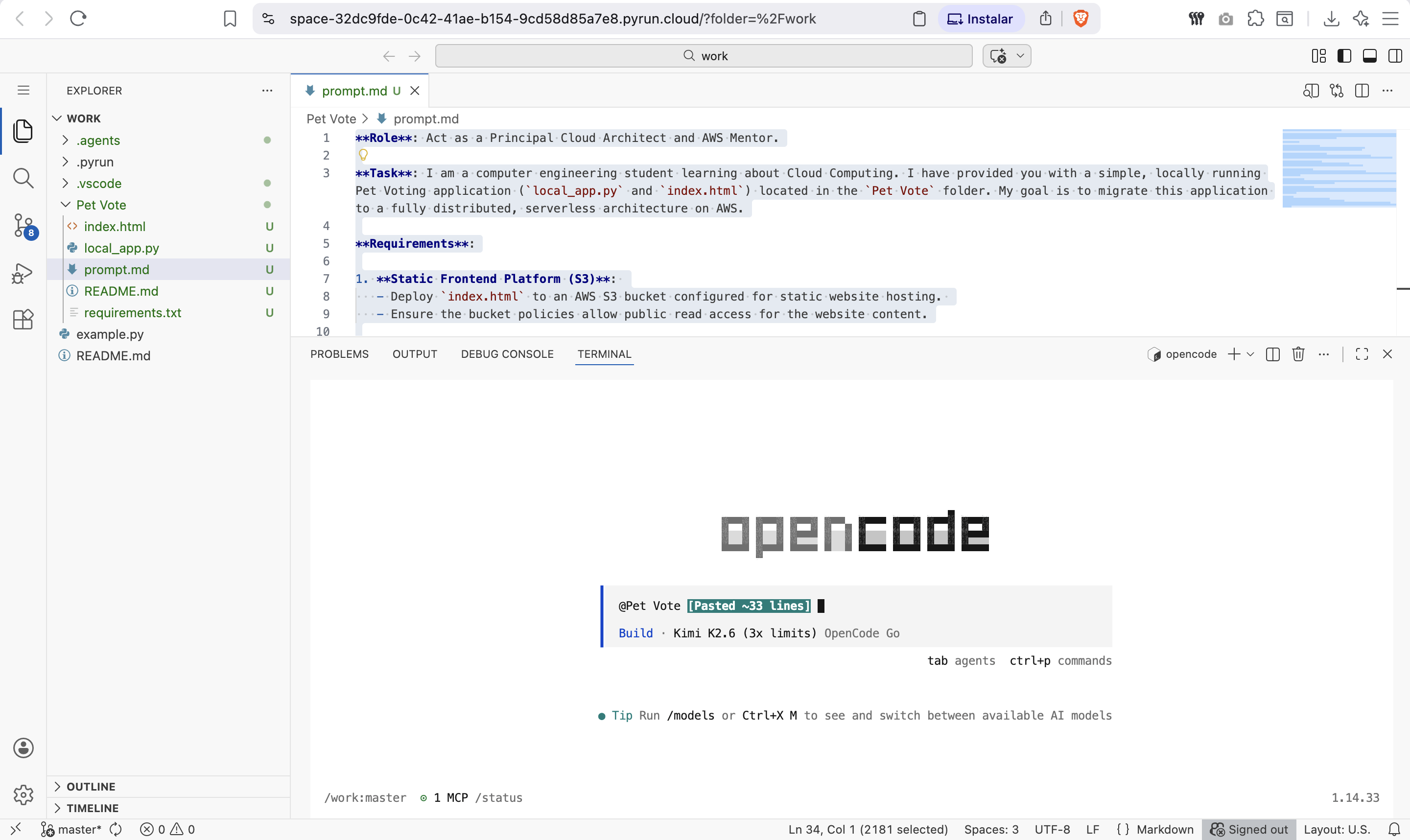
This is exactly what we typed into the AI assistant. You can copy and paste this into PyRun Cloud to recreate the experiment yourself:
📝 Click to expand: The Prompt
**Role**: Act as a Principal Cloud Architect and AWS Mentor.

**Task**: I am a computer engineering student learning about Cloud Computing. I have provided you with a simple, locally running Pet Voting application (`local_app.py` and `index.html`) located in the `Pet Vote` folder. My goal is to migrate this application to a fully distributed, serverless architecture on AWS.

**Requirements**:

1. **Static Frontend Platform (S3)**:
   - Deploy `index.html` to an AWS S3 bucket configured for static website hosting.
   - Ensure the bucket policies allow public read access for the website content.

2. **Serverless Backend Logic (AWS Lambda)**:
   - Convert the Flask logic in `local_app.py` into a highly-scalable AWS Lambda function.
   - The Lambda function should handle both retrieving votes (`GET /votes`) and submitting votes (`POST /vote`).

3. **NoSQL Database (Amazon DynamoDB)**:
   - Create a DynamoDB table to replace the local `votes.json` file.
   - The Lambda function should securely read from and update this DynamoDB table.

4. **API Layer (API Gateway)**:
   - Provision an API Gateway to expose the Lambda function to the internet securely.
   - Update the `apiUrl` variable in `index.html` seamlessly so it automatically points to the new Cloud API Gateway URL instead of `localhost`.

5. **Security & IAM**:
   - Ensure the Lambda function uses an IAM role with the principle of least privilege, granting only the necessary permissions to read/write to the newly created DynamoDB table.

6. **Execution Protocol (MCP)**:
   - Use the Model Context Protocol (MCP) and your available tools to provision these resources, create the table, upload the logic, build the gateway, and deploy the bucket *automatically* without requiring me to install or configure AWS credentials on my side.

**Output**:
Once you finish the deployment, provide me with:
- A brief bulleted summary of the 4 AWS components you created.
- The **Public Website URL (S3)** so I can open the live application in my browser and test the voting system.
- An explanation suitable for a student of how the data flows from the newly hosted web page, to the API gateway, down to DynamoDB.
The AI-Generated Cloud Architecture
Architecture Diagram
What Changed?
| Local Component | Cloud Component | Why |
|---|---|---|
localhost:5000 Flask server | API Gateway + Lambda | Scales to millions of users, no server to manage |
votes.json file on disk | DynamoDB Table | Persistent, fast, globally accessible |
index.html opened directly | S3 Static Website Hosting | Global CDN, always available |
apiUrl = "http://127.0.0.1:5000" | apiUrl = "https://xxx.execute-api.amazonaws.com" | Public HTTPS endpoint |
The Cloud Lambda Code
The AI converted the Flask routes into a Lambda handler:
☁️ Click to expand: Lambda Function (cloud version)
import json
import boto3

dynamodb = boto3.resource('dynamodb')
table = dynamodb.Table('PetVotes')

def lambda_handler(event, context):
    method = event['httpMethod']

    if method == 'GET':
        # Retrieve current votes
        response = table.get_item(Key={'pet_type': 'all'})
        item = response.get('Item', {'Cats': 0, 'Dogs': 0})
        return {
            'statusCode': 200,
            'headers': {'Access-Control-Allow-Origin': '*'},
            'body': json.dumps({'Cats': int(item.get('Cats', 0)),
                                'Dogs': int(item.get('Dogs', 0))})
        }

    elif method == 'POST':
        # Cast a vote
        body = json.loads(event['body'])
        pet = body.get('pet')

        if pet not in ['Cats', 'Dogs']:
            return {'statusCode': 400, 'body': json.dumps({'error': 'Invalid choice!'})}

        table.update_item(
            Key={'pet_type': 'all'},
            UpdateExpression=f'ADD {pet} :inc',
            ExpressionAttributeValues={':inc': 1}
        )

        return {
            'statusCode': 200,
            'headers': {'Access-Control-Allow-Origin': '*'},
            'body': json.dumps({'message': f'Voted for {pet}!'})}
Screenshots of the Actual Execution
First AI Response — Architecture Plan
The AI starts by explaining the migration plan before writing any code:
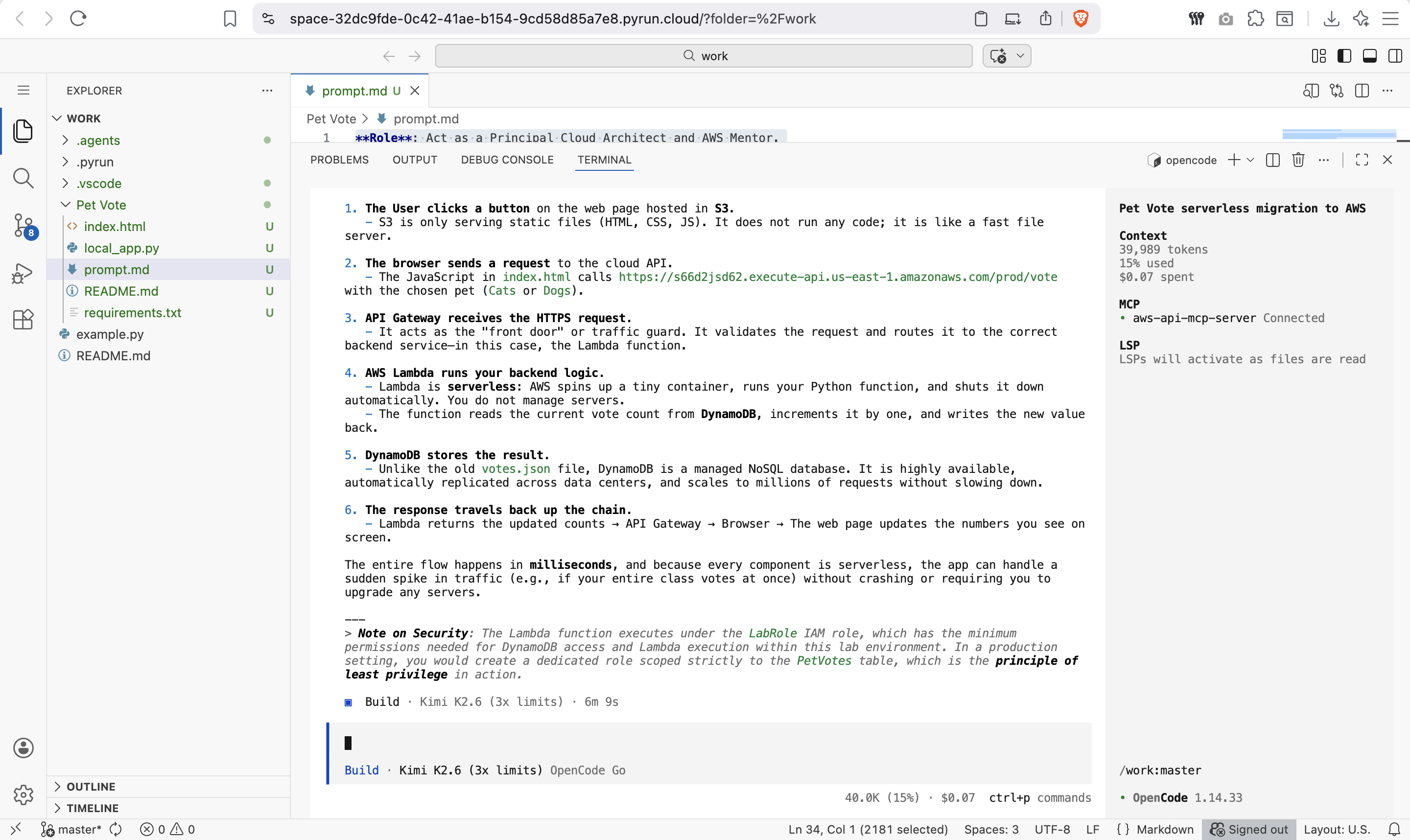
Final Cloud Implementation
The AI then provisions all four AWS services and provides the live URL:
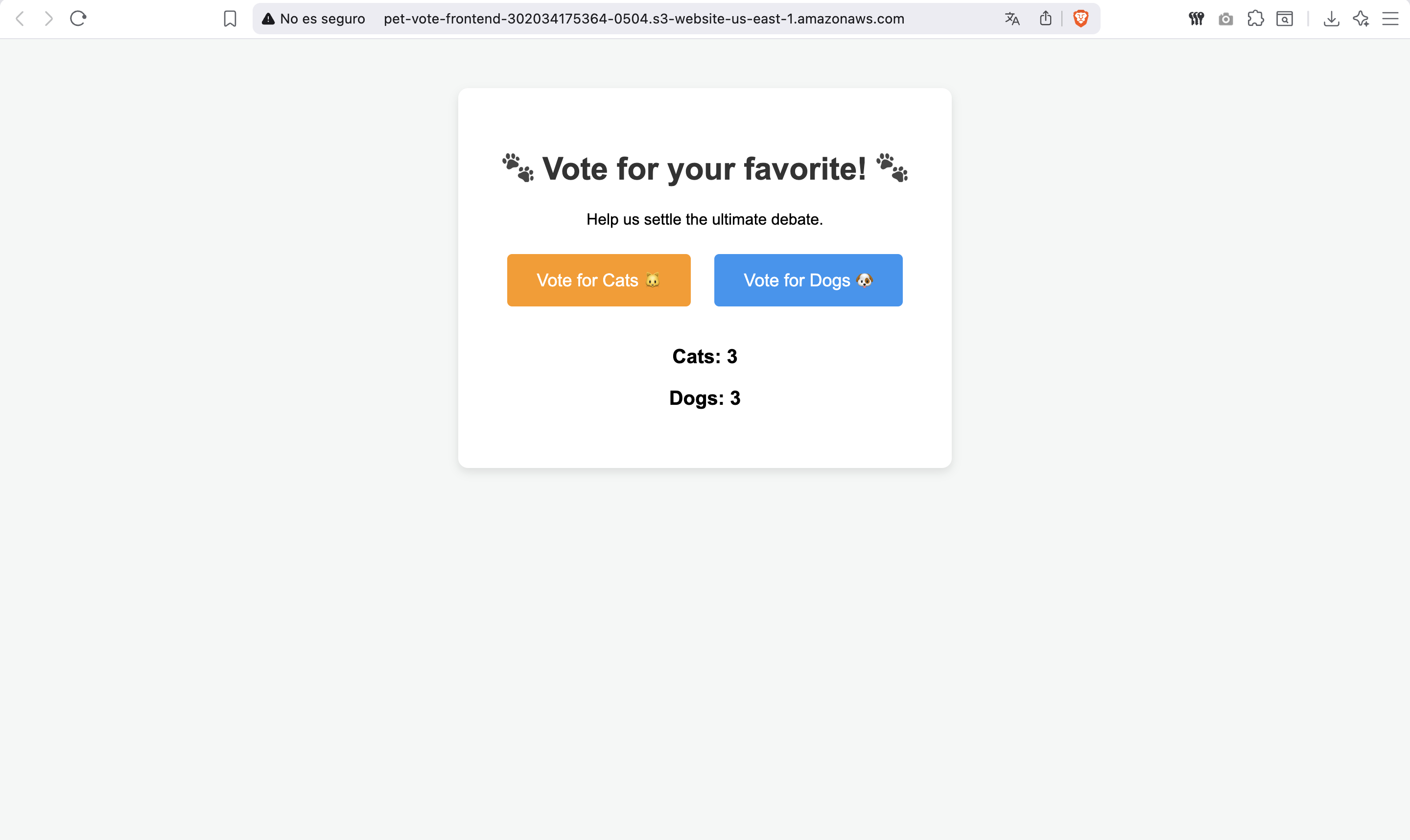
The Live Website
You can open the S3-hosted website in any browser:
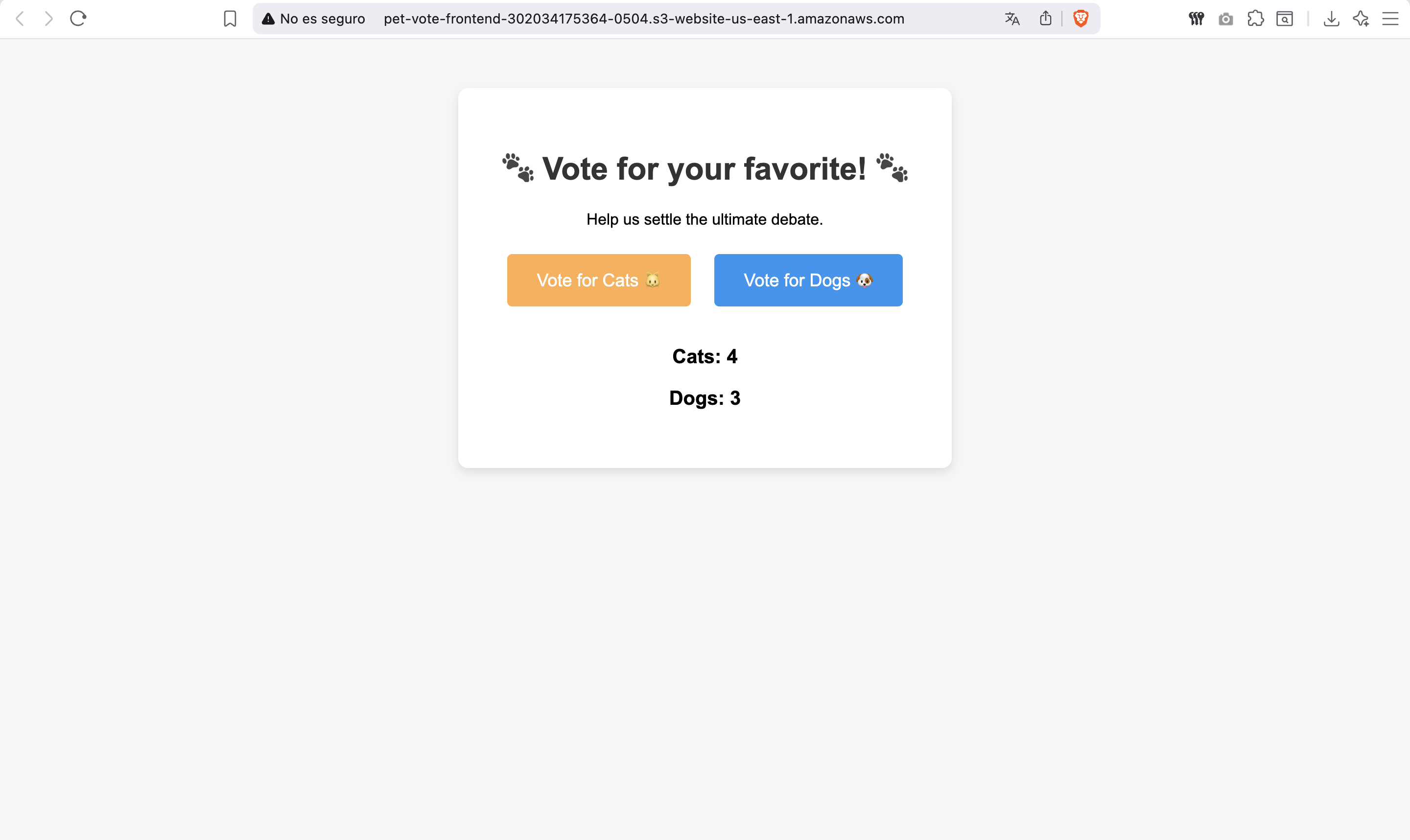
Voting in Action
Click a button, and the vote is recorded in DynamoDB via API Gateway:
Data Flow Explained
When you click "Vote for Cats 🐱", here is what happens behind the scenes:
- Browser sends a
POSTrequest to the API Gateway URL. - API Gateway validates the request and forwards it to Lambda.
- Lambda parses the request, extracts
"Cats", and updates DynamoDB. - DynamoDB atomically increments the
Catscounter. - Lambda returns a success message to API Gateway.
- API Gateway sends the response back to your browser.
- Browser refreshes the vote counts by calling
GET /votes.
All of this happens in under 100 milliseconds.
Key Takeaways
| Concept | Local Way | Cloud Way | Benefit |
|---|---|---|---|
| Hosting frontend | file://index.html | S3 Static Website | Global access, CDN speed |
| Backend server | flask run on your laptop | Lambda + API Gateway | Auto-scales, pay per request |
| Database | JSON file | DynamoDB | Millisecond latency, millions of TPS |
| Security | None needed | IAM Roles | Principle of least privilege |
Try It Yourself
- Open PyRun Cloud and start a new conversation.
- Paste the prompt above.
- The AI will:
- Create an S3 bucket and upload your HTML
- Create a DynamoDB table for votes
- Write and deploy the Lambda function
- Configure API Gateway with the correct routes
- Give you a public URL to test