
Experiment 2: DynamoDB Counter 🔢
Download the Code
Want to follow along on your own machine? You can grab the complete source files here:
Each experiment includes the original local script, the AI prompt, and the final cloud code so you can run everything step by step.
What You Will Learn
This experiment teaches you how to build a serverless API — a backend that lives on the internet, not your laptop. You will replace a local JSON file that stores a visitor count with a real cloud database (DynamoDB) and expose it via API Gateway.
Imagine you have a visitor counter on your website. If you store the count in a JSON file on your laptop, only you can see it. If you store it in DynamoDB, the entire world can read and update it in milliseconds.
The Local Version
Here is a script that stores a counter in a JSON file on your computer. Every time you run it, the number goes up by one.
💻 Click to expand: local_counter.py
import json
import os

FILE_NAME = "counter.json"

def get_and_increment_counter():
    # 1. Initialize local "database" if it doesn't exist
    if not os.path.exists(FILE_NAME):
        with open(FILE_NAME, "w") as f:
            json.dump({"visitors": 0}, f)

    # 2. Read current count from "database"
    with open(FILE_NAME, "r") as f:
        data = json.load(f)

    # 3. Increment the logic loop
    data["visitors"] += 1

    # 4. Save state back to "database"
    with open(FILE_NAME, "w") as f:
        json.dump(data, f)

    print(f"You are visitor number {data['visitors']}! 🚀")

if __name__ == "__main__":
    get_and_increment_counter()
The problem: This only works on one computer. If your friend runs it on their laptop, they start from 0. If you want a global visitor counter for a website, you need a database that lives on the internet and can handle millions of people clicking at the same time.
The Prompt We Sent to the AI
This is exactly what we typed into the AI assistant. You can copy and paste this into PyRun Cloud to recreate the experiment yourself:
📝 Click to expand: The Prompt
**Role:** Act as a University AWS Cloud Instructor.

**Task:** I have a local script (`local_counter.py`) that uses a local JSON file to keep track of a persistent visitor count. I want to build a truly serverless backend for this so it can be triggered over the internet.

**Requirements:**
1. **AWS Lambda + DynamoDB:** Write the AWS Lambda function code (Python using `boto3`) to replace the local JSON file with an Amazon DynamoDB Table tracking the count.
2. **API Gateway:** Explain how API Gateway acts as the "front door" to receive HTTP requests and route them to this Lambda function.
3. **Database Schema:** Outline the exact DynamoDB Table schema needed (Table Name, Partition Key).
4. **Tone:** Keep the terminology beginner-friendly. Explain the flow as if I've never touched a cloud architecture before.
The AI-Generated Cloud Architecture
Architecture Diagram
Data Flow Explained
- User/Browser sends an HTTP request (like visiting a URL).
- API Gateway receives the request and acts as the "front door."
- AWS Lambda runs your Python code in response to the request.
- DynamoDB stores the actual counter value — it is a NoSQL database that scales to millions of requests.
- The result flows back through Lambda → API Gateway → User.
The Cloud Code
The AI generated a Lambda function that replaces the JSON file with DynamoDB:
☁️ Click to expand: Lambda Function (cloud version)
import json
import boto3
from decimal import Decimal

dynamodb = boto3.resource('dynamodb')
table = dynamodb.Table('VisitorCounter')

def lambda_handler(event, context):
    # Update the counter atomically (safe for concurrent requests)
    response = table.update_item(
        Key={'id': 'visitor_count'},
        UpdateExpression='ADD visits :inc',
        ExpressionAttributeValues={':inc': 1},
        ReturnValues='UPDATED_NEW'
    )

    count = int(response['Attributes']['visits'])

    return {
        'statusCode': 200,
        'headers': {
            'Content-Type': 'application/json',
            'Access-Control-Allow-Origin': '*'
        },
        'body': json.dumps({'visitors': count})
    }
Database Schema
| Attribute | Type | Purpose |
|---|---|---|
id (Partition Key) | String | Unique identifier for the counter record |
visits | Number | The actual count |
Key concept: DynamoDB is a NoSQL database. You don't create tables with columns and rows like Excel. You store items (like JSON objects) and retrieve them by a unique key.
IAM Permissions
The Lambda function needs permission to read and write to DynamoDB:
🔐 Click to expand: IAM Policy
{
    "Version": "2012-10-17",
    "Statement": [
        {
            "Effect": "Allow",
            "Action": [
                "dynamodb:GetItem",
                "dynamodb:UpdateItem"
            ],
            "Resource": "arn:aws:dynamodb:*:*:table/VisitorCounter"
        }
    ]
}
Screenshots of the Actual Execution
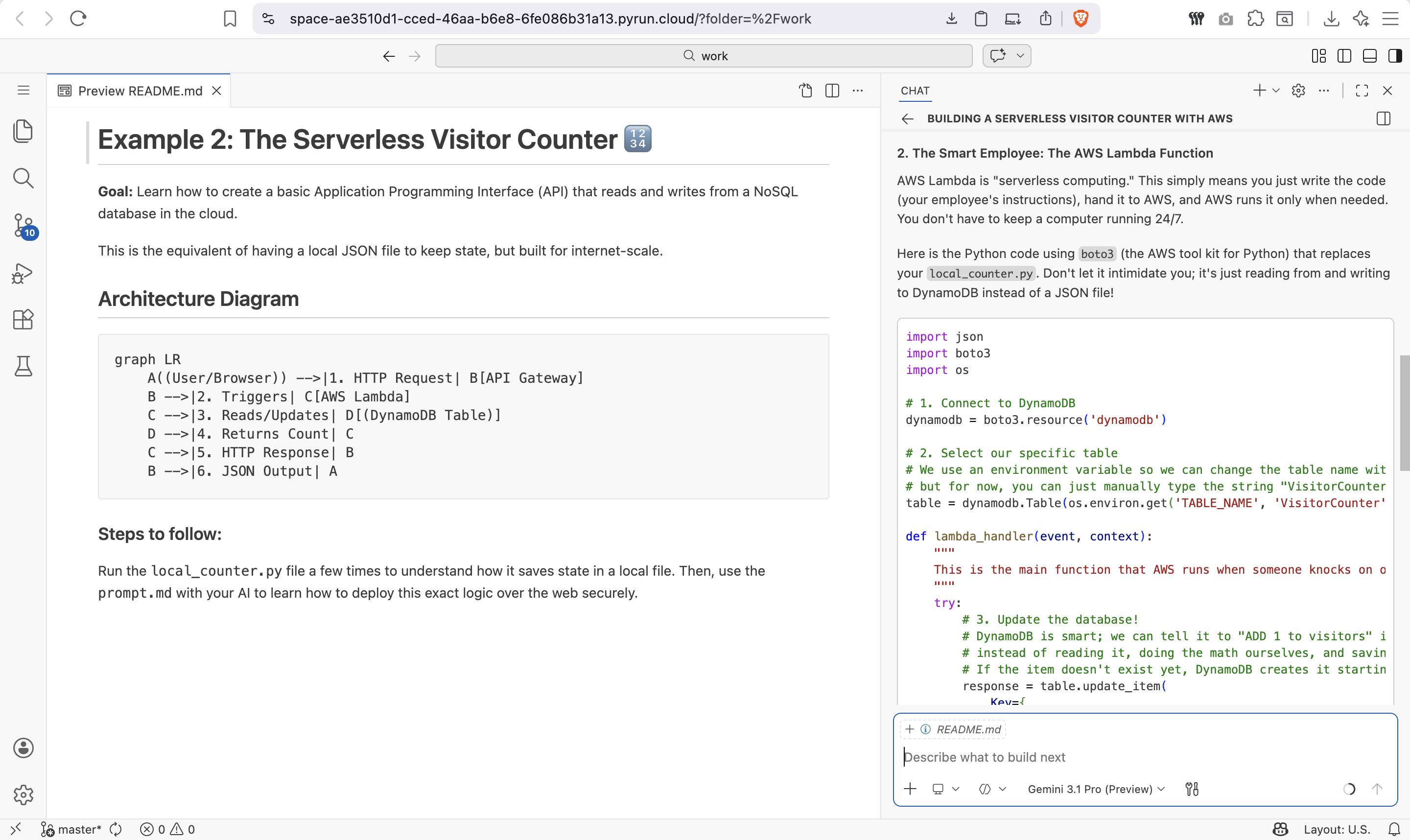
First AI Response
The AI explains the architecture in simple terms before writing any code:
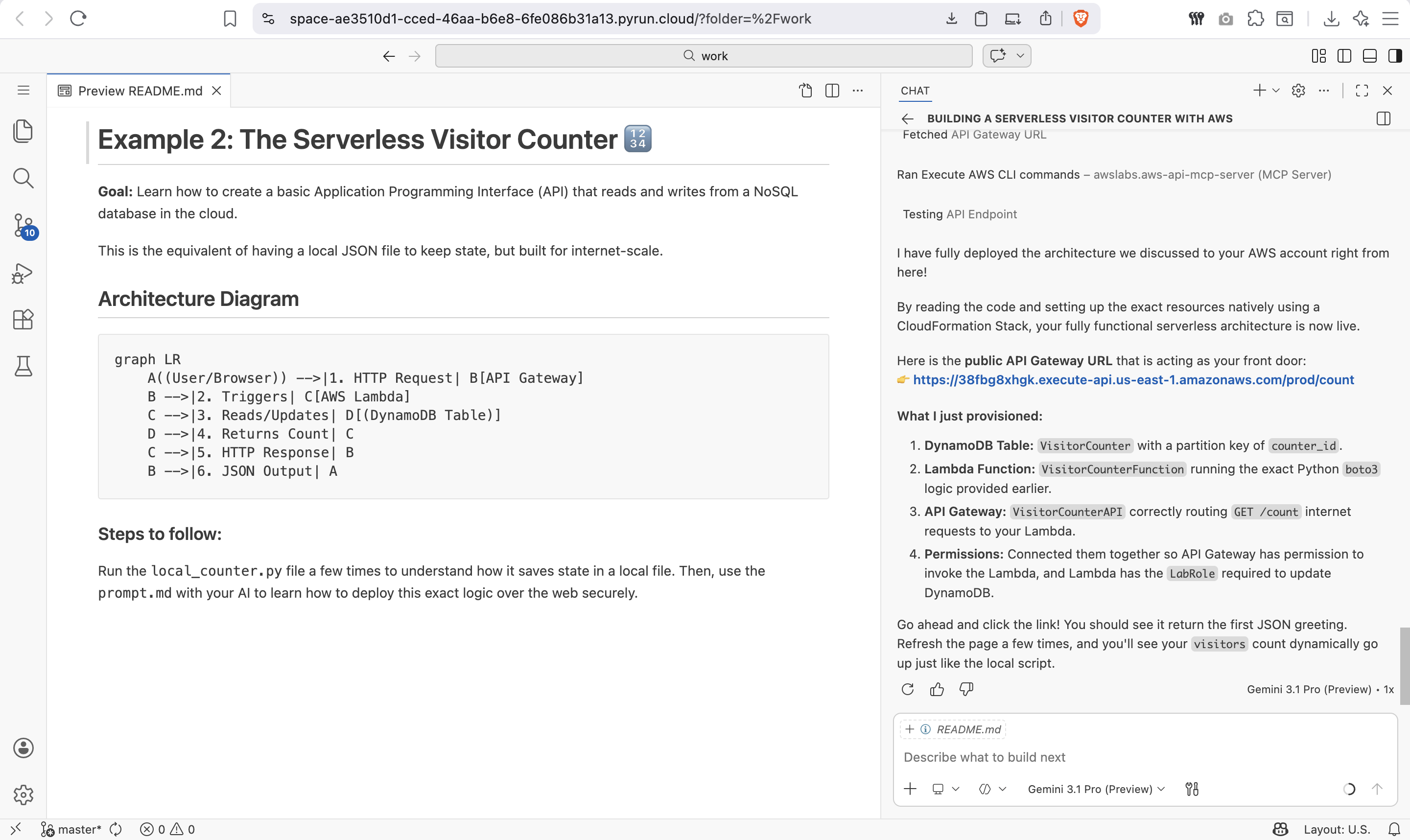
Final Cloud Implementation
The AI then generates the complete Lambda code, DynamoDB schema, and API Gateway configuration:
Key Takeaways
| Local Concept | Cloud Equivalent | Why It Matters |
|---|---|---|
| JSON file on disk | DynamoDB Table | Accessible from anywhere, handles millions of users |
| Running a script manually | API Gateway + Lambda | Triggered automatically by HTTP requests |
| Reading/writing files | update_item / get_item | Atomic operations prevent race conditions |
Try It Yourself
- Open PyRun Cloud and start a new conversation.
- Paste the prompt above.
- The AI will create the DynamoDB table, write the Lambda function, and set up API Gateway for you.
- Visit the API URL in your browser and watch the counter go up!